Loading Stash Scanner...

Initializing system components...

Stash Logo

Stash Scanner

Quickly identify Daily Delivery Task items in your Stash

Drag & drop a screenshot

Paste from clipboard (Ctrl+V) or select a file

Detected Items 0
Daily Tasks 0
Imbuements 0

Daily Delivery Tasks

  • No matching items found

Imbuement Items

  • No matching items found

How to Use Stash Scanner

1

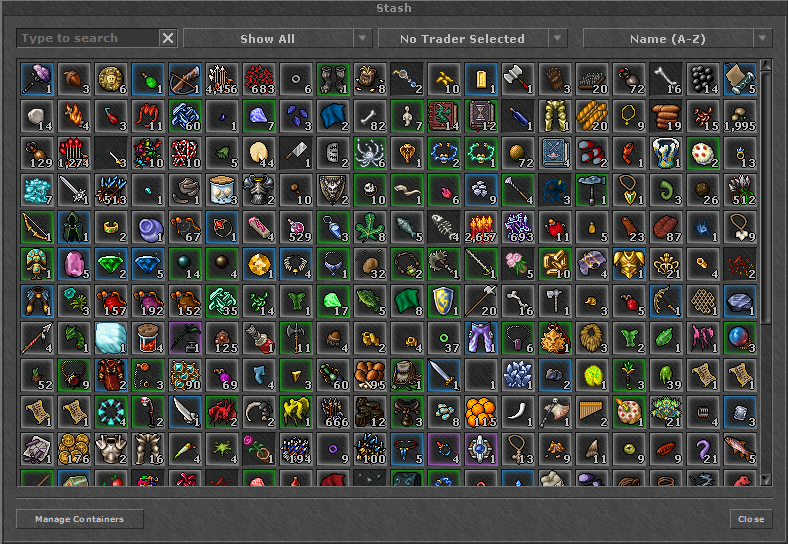
Open Stash & Take Screenshot

Open your Stash in Tibia (show all items) and take a screenshot using Tibia's built-in hotkey (set in Options -> Hotkeys -> Take Screenshot). You can find it in your local Tibia screenshots folder.

2

Paste or Upload Image

Click on the scanner dropzone to select your screenshot, drag and drop the file, or simply paste it directly from your clipboard by pressing Ctrl + V.

3

See Detected Items Instantly

The scanner highlights Yasir delivery items in gold and imbuement items in blue, summing up their total quantities and values.

About Tibia Stash Scanner

Tibia Stash Scanner is a free, high-performance web tool designed for Tibia players. It allows you to analyze screenshots of your Stash window to instantly identify items needed for Daily Delivery Tasks and Imbuements.

How it Works

Simply take a screenshot of your Tibia stash window, paste it here (Ctrl+V) or drag and drop. Our browser-based scanner automatically locates the stash grid, detects the item sprites using pixel-matching algorithms, and matches them against our database. No data is sent to the server – everything runs 100% locally in your browser.

Daily Delivery Tasks

Find out which items in your stash can be traded for Yasir's daily delivery tasks. Yasir buys many items for high prices (e.g., Silencer Claws, Cultish Masks, Sabretooth), helping you maximize your gold profit.

Imbuement Items

Track your critical imbuement materials (like Rope Belts, Vampire Teeth, Protective Charms, and Sabretooths) to see how many imbuements you can craft or sell on the market.